
Quick overview
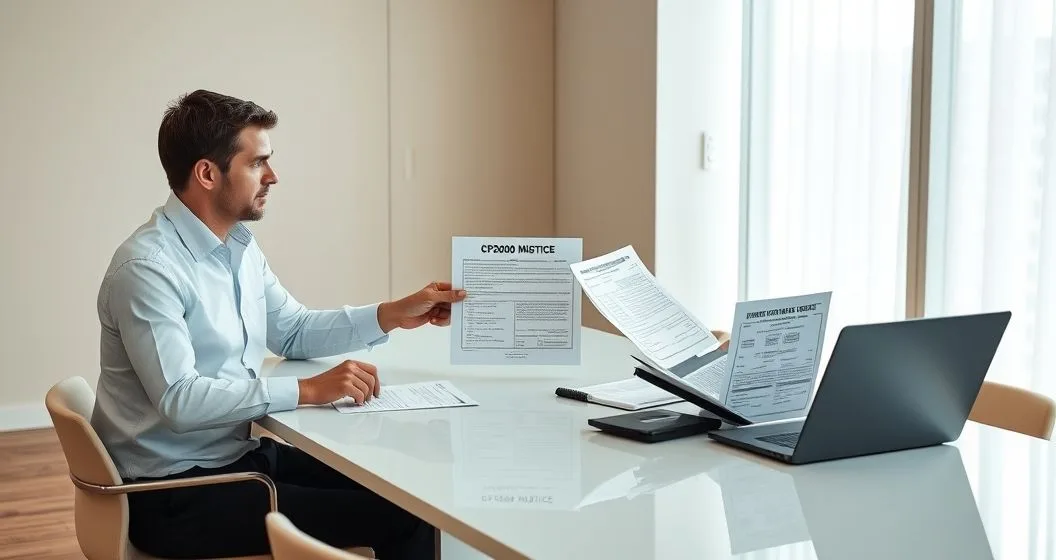
A CP2000 is not a bill and it is not an audit notice; it is a proposed adjustment based on information the IRS received from third parties. It gives you a limited window—typically 30 days from the date on the letter—to agree, dispute, or provide more information. If you ignore the notice, the IRS may assess tax, interest, and penalties based on the proposed adjustment. (See IRS, “Understanding Your CP2000 Notice.”)
Why this matters
Responding thoughtfully protects you from overpaying and from enforcement steps later. In my practice over 15 years, the most common causes are: a payer’s reporting error, a missing corrected 1099/W‑2, a taxpayer math or entry error, or legitimate unreported income. The goal in your response is to show clear, verifiable evidence that either supports your original return or proves the proposed change is wrong.
Step-by-step response plan
- Read the notice carefully
- Note the tax year, the income items the IRS lists, and the deadline. The notice itemizes the payer-supplied amounts it found and shows the IRS’s proposed changes to your return.
- Verify authenticity
- Confirm the letter is an official IRS CP2000 (look for the notice code and account number). If you want help with verification, see our guide on verifying the authenticity of an IRS notice.
- Recreate and compare documents
- Pull your filed tax return, copies of your W‑2s, all 1099s (1099‑MISC/NEC, 1099‑INT, 1099‑DIV, 1099‑B), bank statements, and payroll records. Make a quick spreadsheet matching IRS amounts to your records so you can spot payer vs. payee differences.
- Contact the payer if a third‑party report looks wrong
- If a 1099 or W‑2 is incorrect, contact the employer/payer and request a corrected form (e.g., a corrected 1099‑MISC/1099‑NEC or W‑2C). A corrected form speeds resolution because you can submit that correction to the IRS and the payer’s filing will align with your return.
- Decide your response: Agree, Disagree, or Amend
- Agree: Sign the response form or pay the proposed additional tax. The CP2000 package has instructions and a payment voucher; you can also pay online or request a payment plan through the IRS.
- Disagree: Submit a clear, organized dispute packet with a cover letter, copies (never originals) of supporting documents, and a line‑by‑line explanation of each point you contest.
- Amend: If you identify an error on your originally filed return, file an amended return (Form 1040‑X) and include supporting documents and an explanation. Indicate that you are sending an amended return in your CP2000 response.
- Build the dispute packet (if you disagree)
- Cover letter: One page that lists the CP2000 items you dispute and a short summary of why.
- Comparison table: One page that shows IRS amount vs. your reported amount vs. source documents.
- Supporting documents: Copies of W‑2s, corrected 1099s, paystubs, bank statements, year‑end brokerage statements, canceled checks, contracts, invoices, and correspondence with payers.
- Signed statement: If income belonged to someone else (e.g., joint account issues), include a signed declaration explaining circumstances.
- Send the packet properly
- Mail to the address shown on the CP2000 notice (use certified mail with return receipt if you want proof). The IRS also lists contact information on the notice for phone or online response options, but written documentation is best for formal disputes. Keep copies of everything you send.
- Track timing and follow up
- Expect the IRS to take 30–60 days (or longer) to review and respond. If you don’t hear back after 60 days, call the phone number on the notice. Keep the CP2000 case number handy.
What to include in your cover letter (example outline)
- Your name, address, social security number (last 4), CP2000 case or notice number, and tax year.
- A short summary: “I disagree with the proposed adjustment because [one-sentence reason].”
- A numbered list addressing each disputed line item with citations to attached evidence (e.g., paystub dated X; corrected 1099 dated Y).
- A concluding line: “Please adjust your records accordingly and confirm in writing.” Sign and date.
Payment options if you owe
- Pay in full: Use the payment voucher in the CP2000 packet or pay online at IRS.gov.
- Installment agreement: If you can’t pay, apply for a short-term extension or an online payment agreement at IRS.gov. Interest and penalties continue to accrue until paid, so arrange something promptly to limit costs.
Appeals and what if the IRS doesn’t agree
If the IRS evaluates your documentation and still proposes an adjustment, you have appeal rights. Publication 556 explains examination and appeal procedures (IRS Pub. 556). Follow the appeals instructions in the IRS response; often you can ask for an independent appeals officer to review the case.
Common scenarios and sample resolutions
- Payer error: Request and attach a corrected 1099/W‑2. If the payer files a corrected form with the IRS, send a copy with your response.
- Duplicate reporting: Show proof that income was reported on someone else’s return or that a distribution was reinvested and not taxable.
- Omitted 1099 you did report: Provide your original filed return and bank/brokerage statements that back your numbers.
Penalties and interest — what to expect
The CP2000 itself is a proposed change; if the IRS issues a final assessment you may be charged interest from the original due date and, depending on circumstances, penalties for underpayment. Penalty relief is available in some cases (first-time penalty abatement, reasonable cause) — document the reason and request abatement if applicable.
Preventing future CP2000 notices
- Keep timely, organized income records and a copy of every W‑2/1099 you receive.
- Reconcile payor statements (brokerage year‑end forms) before you file.
- If you’re self‑employed, keep detailed books and issue correct 1099s to contractors you pay.
- Use a tax pro or reputable tax software that flags mismatches before you file.
Helpful resources and links
- Official IRS guidance: Understanding Your CP2000 Notice (IRS): https://www.irs.gov/individuals/understanding-your-cp2000-notice
- IRS on examinations and appeals: Publication 556: https://www.irs.gov/pub/irs-pdf/p556.pdf
- Our detailed response checklist: Step-by-Step Response to a CP2000 Notice
- How to avoid overpaying when responding: How to Respond to a CP2000 Notice Without Overpaying
- Verify notice authenticity guide: How to Verify the Authenticity of an IRS Notice
Practical tips from my practice
- Organize evidence by issue. A single clear packet reduces IRS back-and-forth and speeds decisions.
- If a payer won’t issue a corrected form, get written confirmation from them and include it in your packet.
- Don’t assume the IRS made an error — assume the paper trail must prove your case.
Final checklist before you mail
- Include a cover letter and numbered attachments that match the letter.
- Don’t send original documents — send copies and retain originals.
- Send via tracked mail and keep proof of mailing.
- Note the IRS contact number and the CP2000 case number on all correspondence.
Disclaimer
This article is educational and general in nature and does not replace personalized tax advice. For complex situations, or if the proposed adjustment is large, consult a licensed tax professional or enrolled agent to represent you. Official IRS guidance is available on the IRS website; use it as your authoritative source.


