
Overview
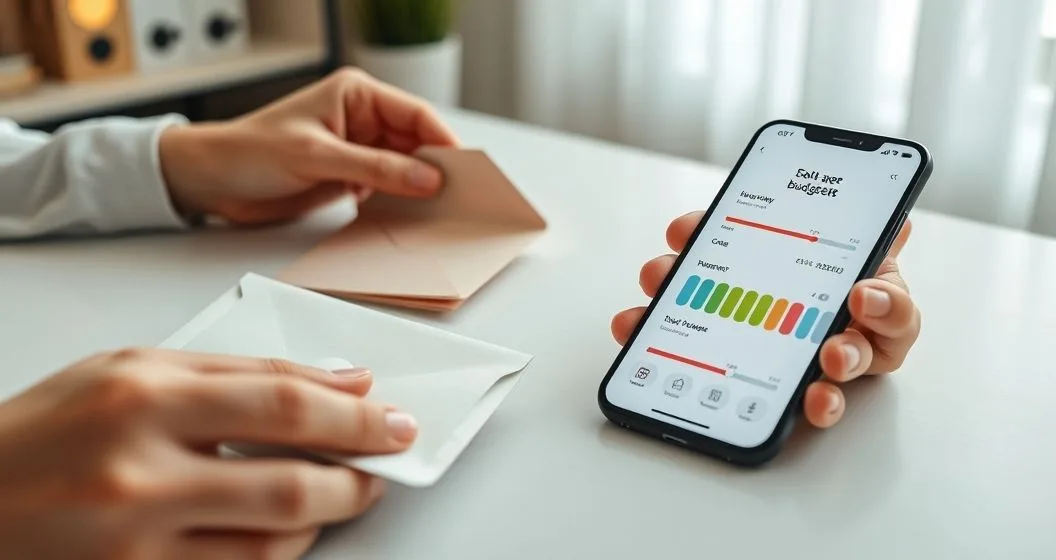
The Envelope System 2.0 updates the classic cash-envelope method by combining tangible cash limits with the convenience and analytics of modern budgeting apps. This hybrid approach gives you the behavioral benefits of physical envelopes (a hard spending cap) plus the reporting, reminders, and automation of digital tools. For many people, that combination reduces impulse purchases, improves savings rates, and makes monthly planning less stressful.
This article explains why the hybrid model works, how to set it up step-by-step, which apps and features to prioritize, and common mistakes to avoid. It includes real client examples from my practice and links to related FinHelp resources for deeper reading.
(Author’s note: in my work advising clients on household budgets, I’ve found the hybrid method helps people move from reactive spending to deliberate cash decisions.)
Why the hybrid method outperforms cash-only or app-only systems
- Behavioral control: Physically handing over cash makes you more aware of spending. Studies and consumer guidance note that people spend less when they use cash versus cards (Consumer Financial Protection Bureau).(https://www.consumerfinance.gov)
- Real-time insights: Apps show trends, categorize purchases, and alert you to upcoming bills — things cash can’t do alone.
- Flexibility: Some expenses (online purchases, subscriptions, bills) are best managed digitally, while discretionary spending (food, entertainment) benefits from cash limits.
- Accountability and reconciliation: Apps help you reconcile envelope balances and highlight small recurring leaks — subscription fees, micro-purchases, and round-up transactions.
Combining these elements creates a manageable, evidence-based budget that aligns money with priorities.
Step-by-step setup (practical)
- Define budget categories. Start with essentials (groceries, transportation, utilities) and 3–5 discretionary categories (dining out, entertainment, clothing). Keep initial categories small until you’re comfortable.
- Choose your split: Decide which categories will use cash envelopes (often highly impulsive or variable categories) and which remain digital (subscriptions, recurring bills, savings goals).
- Set monthly targets. Use your bank statements or an app to calculate average spend for each category over 2–3 months, then allocate amounts that reflect priorities and goals.
- Withdraw and fund envelopes. On a fixed cadence (weekly or monthly), withdraw the cash and place it into labeled envelopes. Keep a secure spot at home (locked drawer) — avoid carrying all envelopes at once if safety is a concern.
- Track every transaction. Record cash spending in your chosen app immediately after each purchase. Many people use YNAB, Mint, or spreadsheets. If you prefer mobile-first, apps with envelopes or “pots” are especially useful. See recommended tools below.
- Reconcile weekly. Compare envelope cash to app balances once per week to catch errors and adjust. Move leftover cash at month-end to a savings envelope or transfer digitally.
- Automate where it helps. Set automatic transfers for bills and savings; use the cash for discretionary, variable spending. Automation protects fixed obligations and reduces decision fatigue.
Choosing apps and tools
Prioritize apps that support categories, manual transaction entry, and goal-setting. Features to look for:
- Category tagging and custom envelopes/pots
- Manual transaction entry for cash purchases
- Scheduled/recurring payments and bill reminders
- Reporting (monthly totals, trends, category variance)
- Bank sync (optional — helpful but not required)
Popular choices:
- YNAB (You Need A Budget): Strong envelope-style categories and manual reconciliation. Great for hands-on budgeters.
- Mint: Automatic categorization, good for beginner-friendly oversight and alerts.
- EveryDollar or GoodBudget: Built around envelope concepts and easy to pair with cash use.
- Banking apps with sub-accounts: Some banks let you create named “buckets” or sub-accounts for digital envelopes.
In my practice I recommend starting with one app for tracking and one physical habit (weekly cash top-up). If you prefer a nearly cashless hybrid, use an app with “pots” or “envelopes” and keep a small cash envelope for high-risk discretionary spending.
Example setups
- Solo renter on a fixed salary: Digital envelopes for rent, utilities, and subscriptions; cash envelopes for groceries and socializing. Weekly cash top-ups prevent end-of-month overspend.
- Couple sharing bills: Maintain a joint digital budget (shared app access) for bills and debt payments; each partner uses a personal cash envelope for discretionary spending to retain autonomy.
- Student or early-career saver: Use cash envelopes for everyday discretionary purchases and an app to automate transfers into a savings envelope for emergency funds or textbooks.
Real client example: A client I advised (“Alice”) set a $300 monthly cash envelope for dining out while tracking with an app. The app revealed $150 of recurring third-party delivery fees and small convenience purchases that bypassed the cash envelope. By shifting certain purchases to the digital budget and reducing delivery frequency, she cut dining discretionary spending by ~40% in three months.
Where to use cash vs. digital
- Use cash for: impulse-prone categories, weekend spending, petty cash, and any category where touching money limits behavior.
- Use digital for: subscriptions, recurring bills, debt payments, savings goals, and online purchases that require cards.
If you use credit cards for rewards, consider a pay-with-card strategy but immediately mark the purchase against the appropriate envelope in your app and transfer cash from that envelope to your checking account to cover the card payment.
Reconciling and handling overspend
- If an envelope runs out, either: 1) transfer from another envelope, 2) use a planned buffer (a small monthly float envelope), or 3) choose not to spend until next period. Option (1) should be rare — frequent transfers indicate a needed budget reset.
- Use app reports to find recurring small expenses that cause leaks. Micro-purchases like $3–$8 items add up quickly.
Advanced tips and automation
- Sinking funds: For non-monthly expenses (car repairs, gifts), create a sinking fund envelope and fund it automatically each month in the app or manually with cash.
- Rollovers and rewards: Decide whether leftover cash rolls into next month or into savings. In my practice, clients who roll leftovers into a separate savings envelope reach short-term goals faster.
- Split transactions: When a purchase covers multiple categories, record split transactions in your app immediately to keep envelopes accurate.
- Security: Don’t keep large sums of cash at home. Deposit excess cash weekly or use a bank’s cash-management features (pots/sub-accounts).
Common mistakes and how to fix them
- Mistake: Treating apps as a substitute for the discipline of cash. Fix: Reserve cash specifically for categories where behavior drives overspend.
- Mistake: Forgetting to log cash purchases. Fix: Log transactions at the time of purchase or set a daily reminder.
- Mistake: Overcomplicating categories. Fix: Start with 5–8 categories and consolidate if tracking becomes cumbersome.
- Mistake: Ignoring variable income adjustments. Fix: Base core allocations on a low-end income estimate and place surplus into a flexible envelope.
Costs, security, and tax notes
- Most budgeting apps have free versions or paid tiers; evaluate whether paid features (automatic imports, priority support) are worth the cost.
- Keep receipts for tax-deductible categories (charitable donations, business expenses) and reconcile them with app reports at year-end. This helps when preparing taxes or working with a CPA (https://www.irs.gov).
When Envelope System 2.0 is not the best fit
- Extremely cash-hostile lifestyles: If nearly all spending is card-based (e.g., frequent online shopping or business travel), fully digital envelope systems or sub-account savings may be more practical.
- Very irregular income without a stable base: Use a buffer-focused system that prioritizes emergency funds before strict envelopes.
Related resources and further reading
- For an app-forward take on envelopes, see FinHelp’s guide: Envelope Budgeting Reimagined With Digital Tools.
- To compare practical budgeting strategies, read: Budgeting Strategies That Actually Work.
Quick-start checklist
- Pick 5–8 categories.
- Decide which use cash vs digital.
- Fund envelopes and set app categories.
- Record every purchase and reconcile weekly.
- Automate transfers for bills and savings.
Professional disclaimer
This article is for educational purposes and does not constitute personalized financial advice. For tailored recommendations, consult a certified financial planner or tax professional. Sources include the Consumer Financial Protection Bureau and the IRS (https://www.consumerfinance.gov; https://www.irs.gov).
Final thoughts
Envelope System 2.0 isn’t about dogma — it’s about matching tools to behavior. The hybrid system gives you the tactile benefit of cash and the analytical edge of apps. Small, consistent changes (weekly reconciliation, a single cash envelope, and one automation) usually produce the largest gains in spending control and savings. Implement the system for one month, track your results, and refine categories based on real data; that iterative process is where most people find sustainable improvement.


